Add Wicked to your shortcuts
Last updated June 26, 2025
To add Wicked as a favorited shortcut in your sharing options, follow the simple instructions below. You'll have all your nail designs saved to Wicked in no time! Happy organizing 💅
Step-by-step instructions:
-
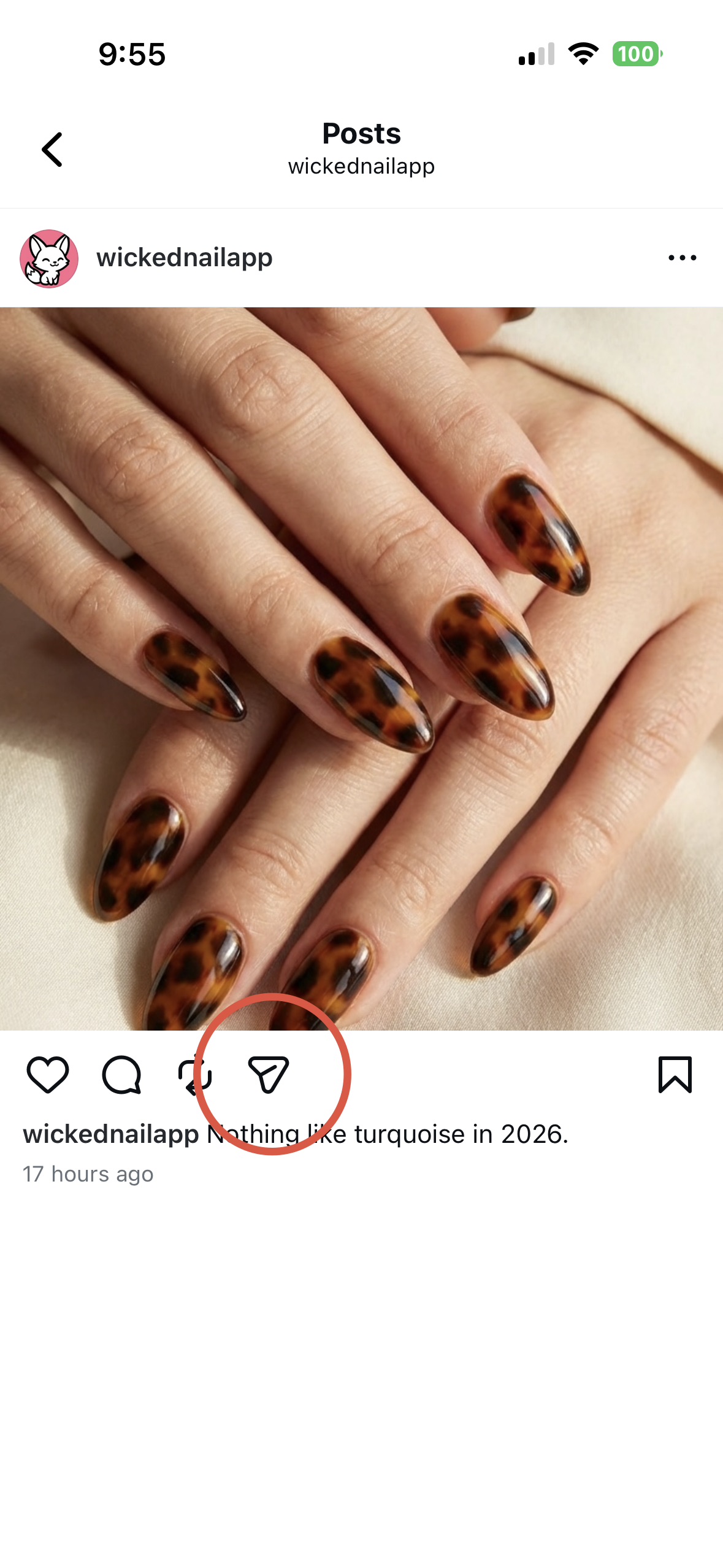
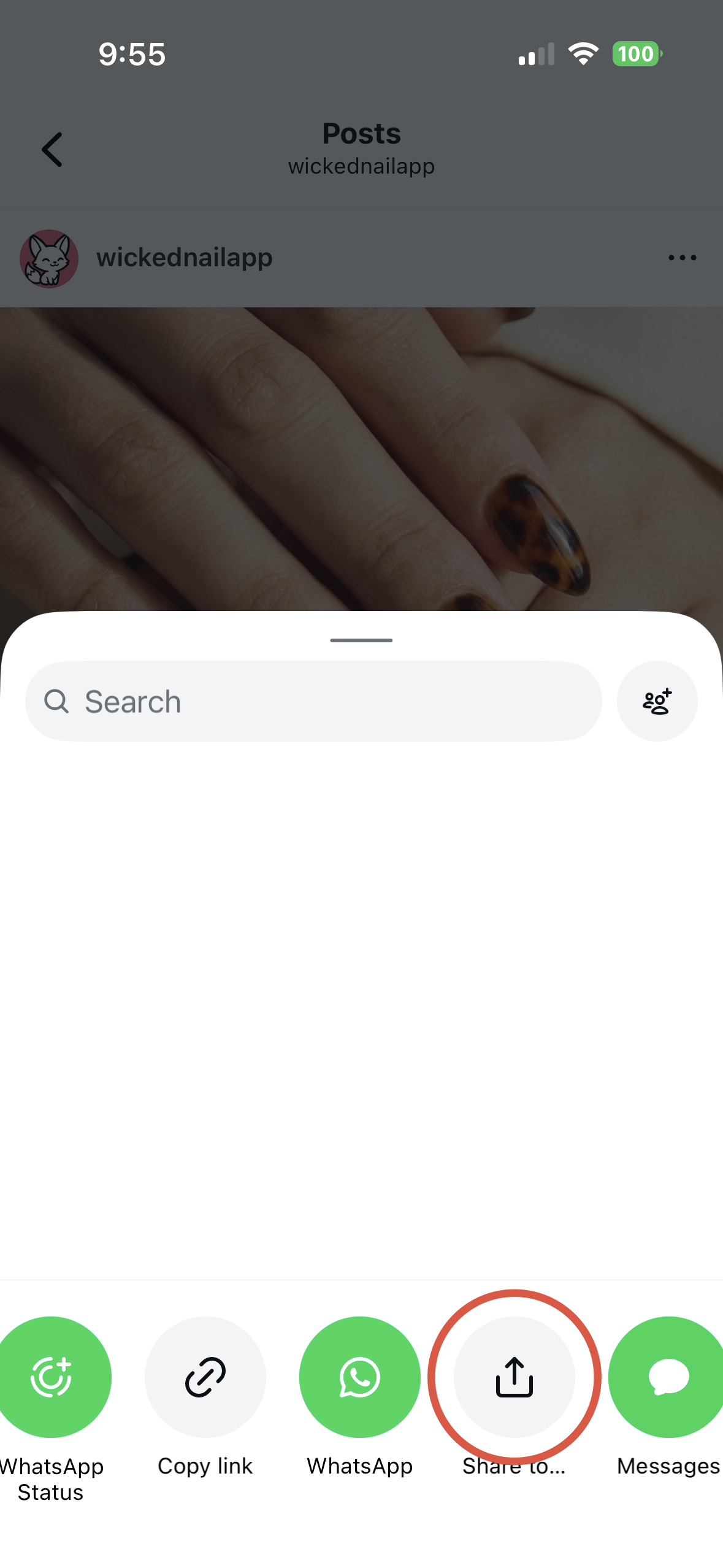
Go to your favorite nail inspiration source & tap on the 'share' button to open the share options sheet. Then tap 'Share to...' to see more apps.
-
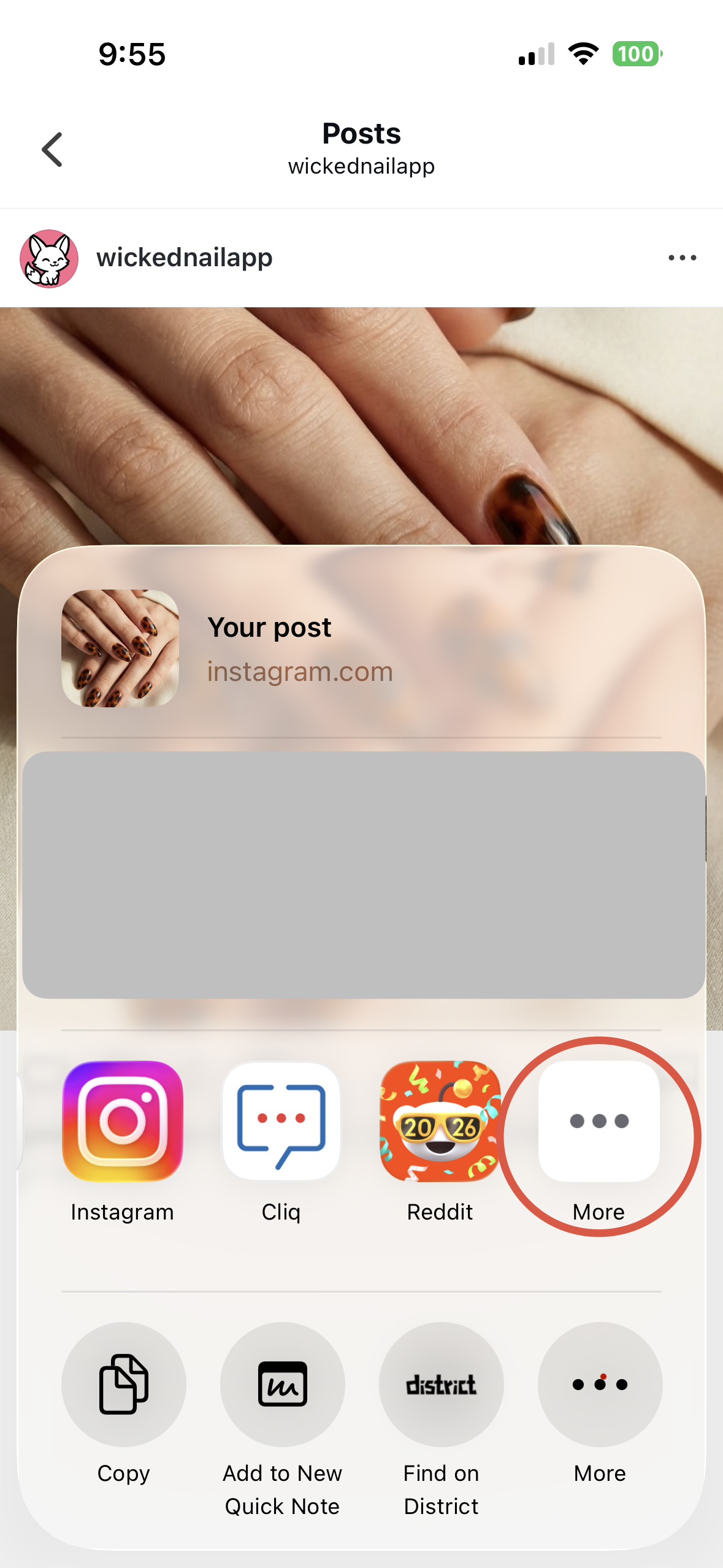
On the section showing apps, scroll to the right and tap 'More'.
-
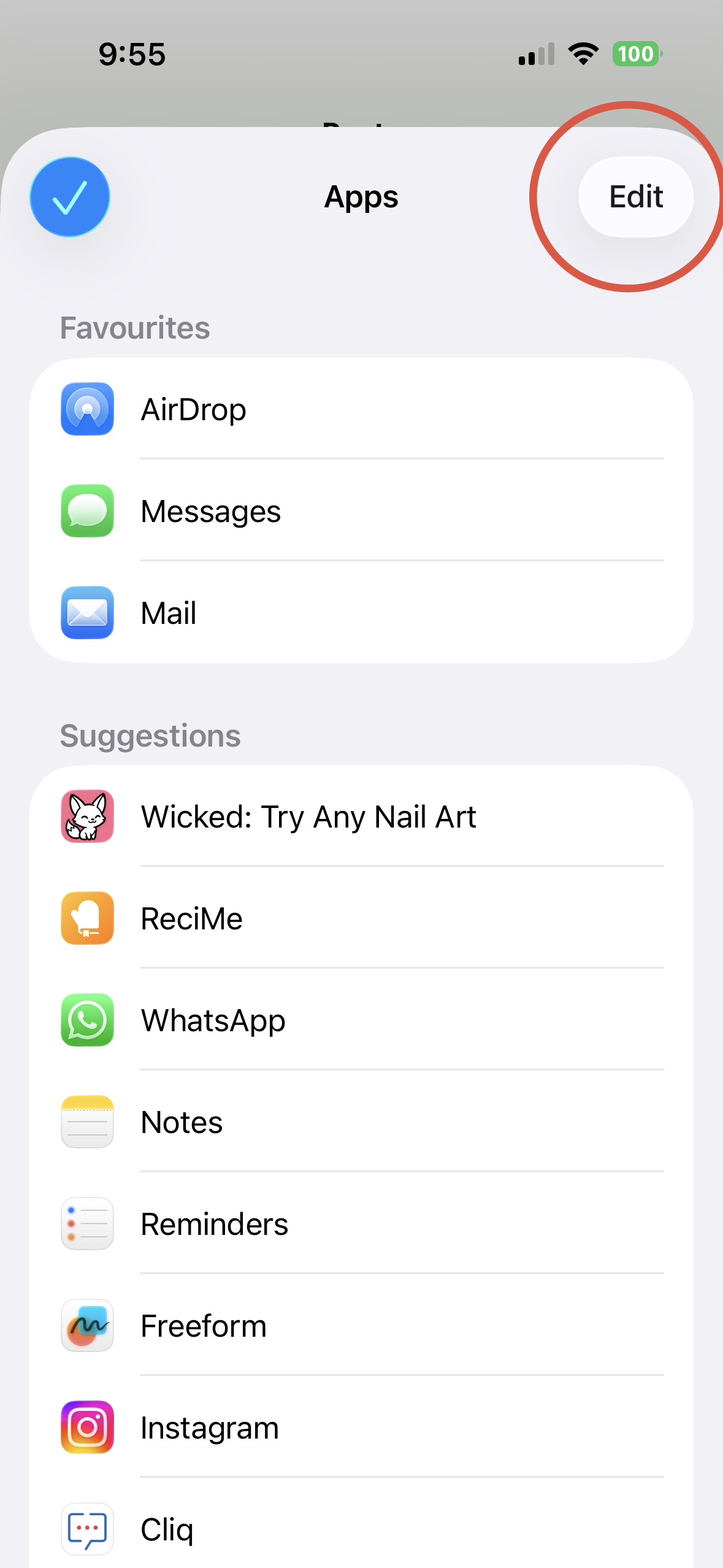
Tap 'Edit' in the top right corner.
-
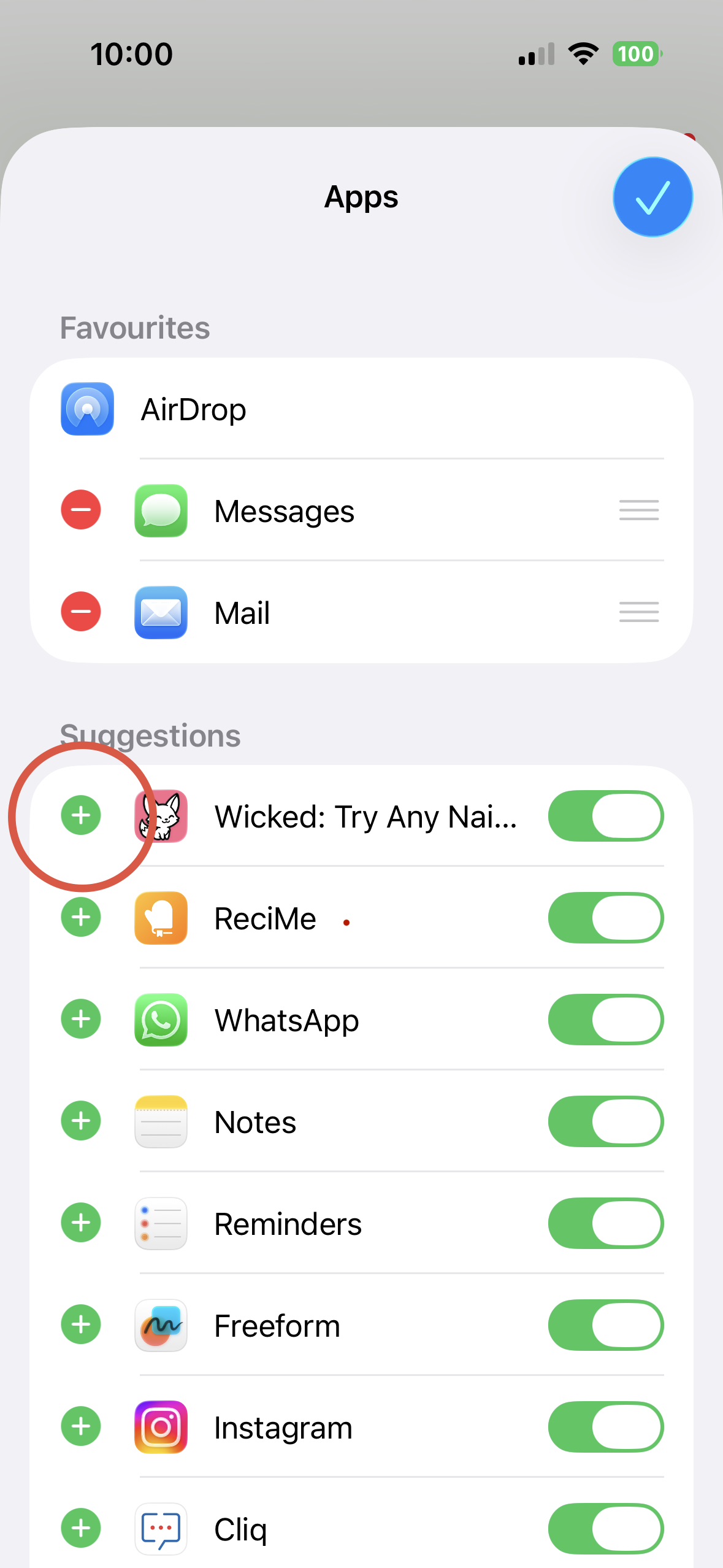
Tap the green + button next to Wicked to add it to your favorites.
(Note: if Wicked is not showing, try restarting your phone - this typically 'refreshes' your share options.)
-
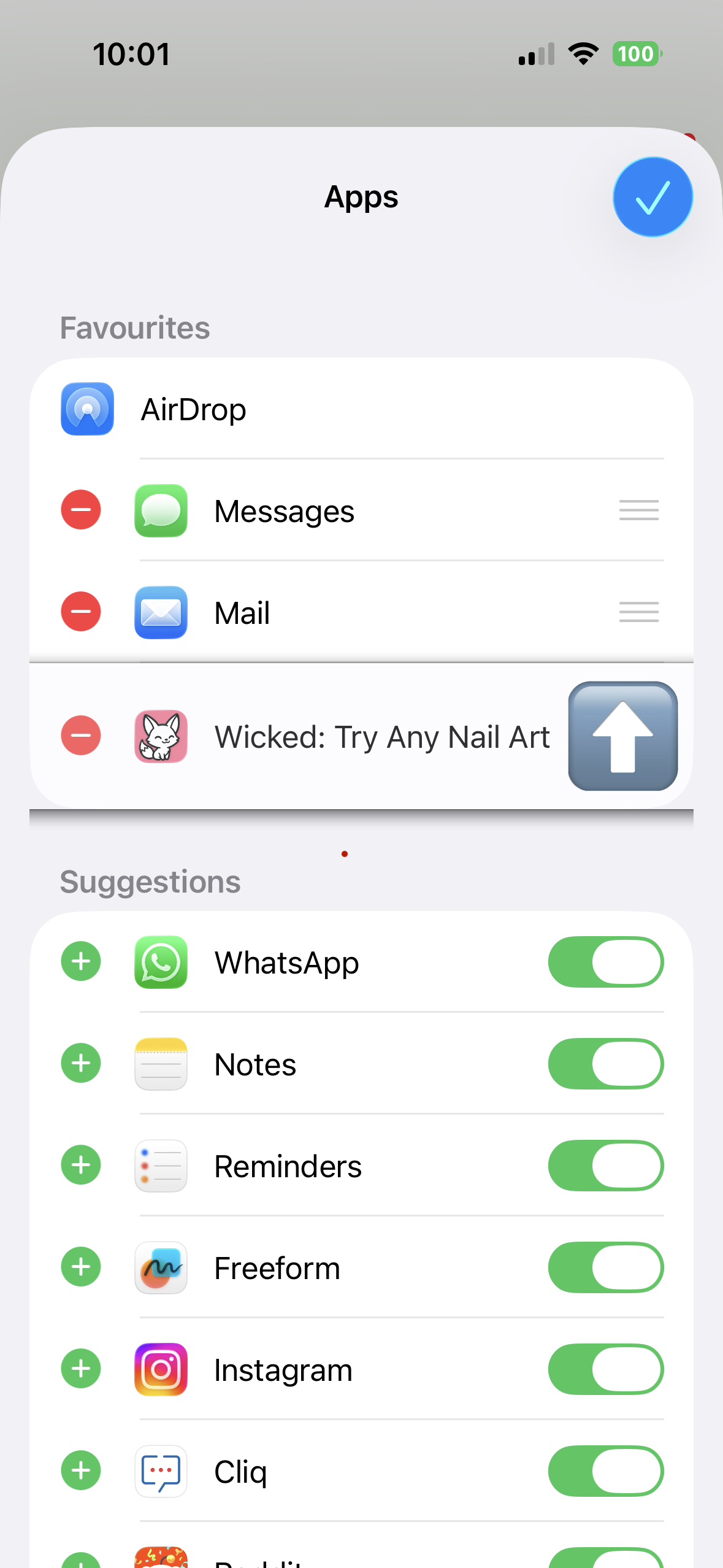
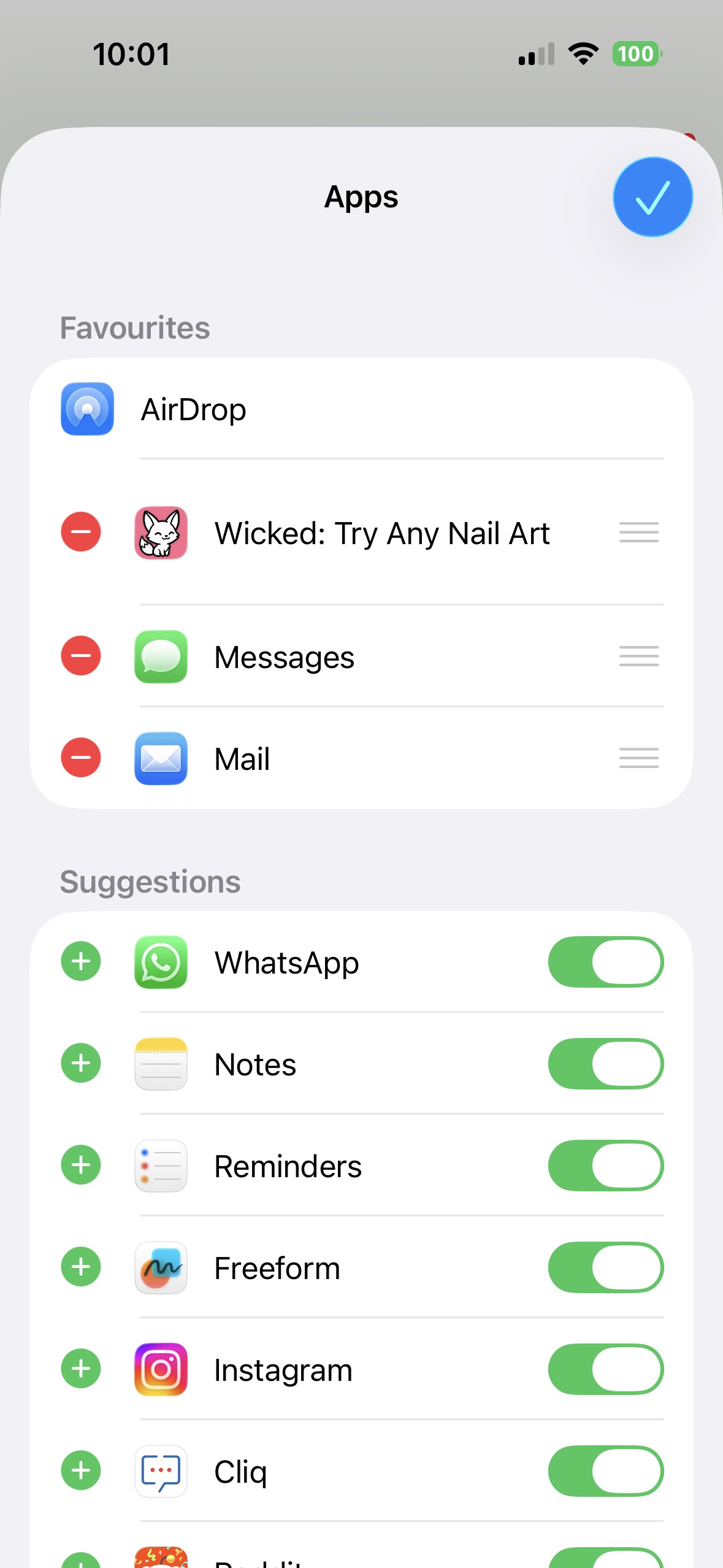
Wicked will move up to your Favourites. You can drag it to reorder if you'd like, then tap the checkmark when done.
That's it 🙌 Wicked is now in your Favourites and ready to use!
Did this answer your question?